
PDF Splitter2.3 - App Store
You'll be able to see results in few seconds.
Publisher Description

Split large PDF document into small ones quickly and flexibly!
PDF Splitter is a stand-alone app that can be used to split and manage your PDF files.
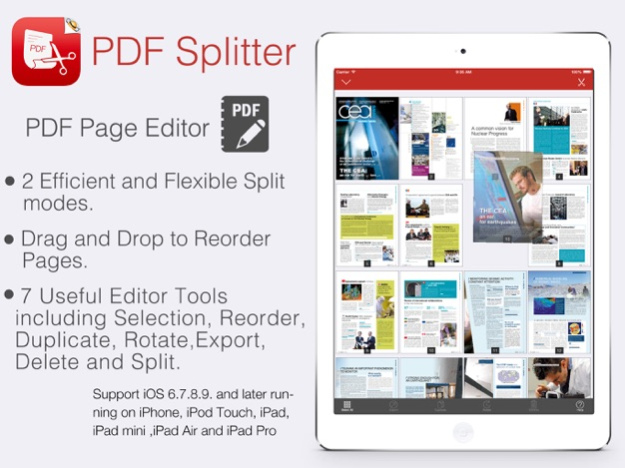
Split PDF files to multiple PDF files by PDF Thumbnail Page Editor.
Split PDF files by Each Pages an PDF or Selection as an New PDF.
Support all Apple iOS devices, iPhone and iPad!
PDF Splitter Pro is a quick and easy-to-use PDF splitting tool, which helps you produce new PDF files by extracting any specific pages from the multi-page PDF file. With its help, you can easily split multi-page PDF files by every n page(s) or split one PDF file averagely to several PDF files with equal page numbers. Also it saves your time to split PDF file to multiple PDF files by specific pages at one time.
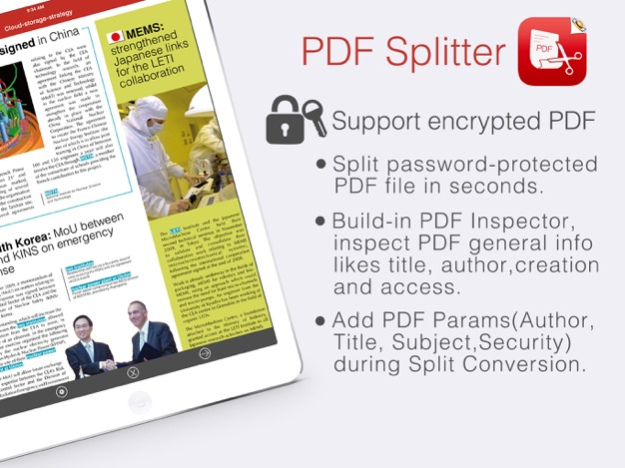
PDF Splitter also split encrypted PDF files, which makes PDF splitting more efficient.
Key Features:
=> Split password-protected PDF file in seconds
- For the owner-password-protected PDF files (PDF files that are protected from copying, printing, editing), PDF Splitter can remove the password and split it directly
- For the user-password-protected PDF files (PDF files that are protected from opening), you need to type in the password, and then PDF Splitter can remove the password and split it for you
=> 2 efficient and flexible Split modes.
Exporting All or Selected Pages Of PDF into:
- Each Pages a PDF: This split mode allows you to divide a multi-page PDF file into several PDF files with n pages per file.
- An New PDF: This Split mode lets you flexibly choose the specific pages you want to extract from the multi-page PDF file and combine them into a new PDF file. You can select the pages either by select any page directly.
More Features:
• Nice iOS 7's Flat Design, User-friendly interface.
• Support importing Adobe PDF 1.0 - 1.7 formats (.pdf);
• Support PDF files in most of the languages: English, Turkish, Thai, Latin, Korean, Greek, Cyrillic, Japanese, Chinese, German, French, Italian.
• Support "owner" password protected PDF files.
• Mail out Image as email attachments("Mail out.." integration).
• Send files to other apps("Open In.." integration).
• Share and Compress image files to .zip file.
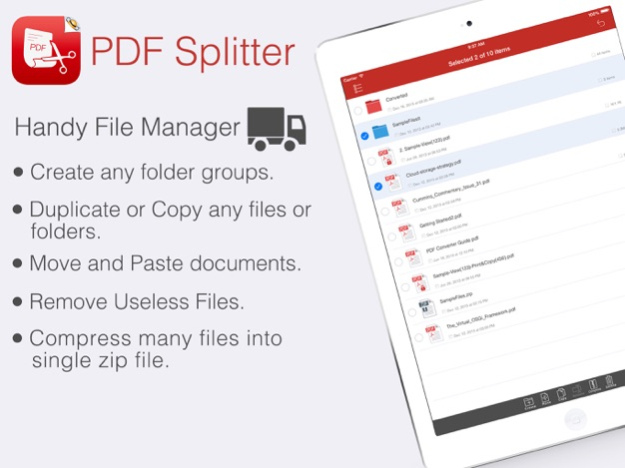
• File manager(Support rename, copy, move, delete and compress).
• Copy/Paste file with Clipboard(Transfer with other Apps).
• Wirelessly Print&Fax Photos(Only AirPrint-enabled Printer Supported).
• Wifi file transfer(Transfer by Browser or Webdav Clients).
• USB file transfer(iTunes file sharing).
We are continuously developing this app, so please feel free to contact us with your questions, suggestions or any problems, and we will reply ASAP.
Sep 30, 2016
Version 2.3
This app has been updated by Apple to display the Apple Watch app icon.
> General performance and stability improvements for iOS 10.
> Numerous bug fixes and improvements.
Thank you for using our app! If you feel generous or have a couple of minutes, please leave a review. It makes a huge difference to us. Thank you in advance!
About PDF Splitter
The company that develops PDF Splitter is 建伟 徐. The latest version released by its developer is 2.3.
To install PDF Splitter on your iOS device, just click the green Continue To App button above to start the installation process. The app is listed on our website since 2016-09-30 and was downloaded 0 times. We have already checked if the download link is safe, however for your own protection we recommend that you scan the downloaded app with your antivirus. Your antivirus may detect the PDF Splitter as malware if the download link is broken.
How to install PDF Splitter on your iOS device:
- Click on the Continue To App button on our website. This will redirect you to the App Store.
- Once the PDF Splitter is shown in the iTunes listing of your iOS device, you can start its download and installation. Tap on the GET button to the right of the app to start downloading it.
- If you are not logged-in the iOS appstore app, you'll be prompted for your your Apple ID and/or password.
- After PDF Splitter is downloaded, you'll see an INSTALL button to the right. Tap on it to start the actual installation of the iOS app.
- Once installation is finished you can tap on the OPEN button to start it. Its icon will also be added to your device home screen.
Program Details
System requirements
Download information
Pricing
Version History
version 2.3
posted on 2016-09-30
Sep 30, 2016
Version 2.3
This app has been updated by Apple to display the Apple Watch app icon.
> General performance and stability improvements for iOS 10.
> Numerous bug fixes and improvements.
Thank you for using our app! If you feel generous or have a couple of minutes, please leave a review. It makes a huge difference to us. Thank you in advance!
version 2.3
posted on 2011-08-16
Disclaimer
Official App Store Link
We do not host PDF Splitter on our servers. We did not scan it for viruses, adware, spyware or other type of malware. This app is hosted by Apple and passed their terms and conditions to be listed there. We recommend caution when installing it.
The App Store link for PDF Splitter is provided to you by apps112.com without any warranties, representations or guarantees of any kind, so access it at your own risk.
If you have questions regarding this particular app contact the publisher directly. For questions about the functionalities of apps112.com contact us.
